₿
Bitcoin
BTC
The first crypto, launched in 2009. Only 21 million will ever exist, which is why people treat it like digital gold — the slow, steady saver of the four.
For kids: “The gold coin. There will never be more of them.”
CryptoKids Piggy — with Satoshi, the piggy who teaches
A child picks a goal they can see. Family anywhere in the world sends Bitcoin, Ethereum, Solana, or XRP. The parent holds the keys; the child watches the piggy fill — and learns one small lesson every time real money moves.
Demo shape — no real money moves on this page. Every number below is an example you can play with. Its home: cryptokids.art — one house, two rooms: the art gallery and this piggy.
Your account
Accounts are by email — the professional way in. You sign up with your email and a password, click the verification link we email you, and your welcome email arrives with your child's own unique QR code and gift link, ready to share with family and friends. Lose your password? A reset link by email gets you back into your account, your child's piggy, and your QR code.
One account holds your child's piggy under your own wallet. Gifts are crypto only. CryptoKids Piggy is free to join and free to use at launch — no fees on gifts, no monthly charges, and no yearly charges.
We sent a verification link to . Click it to confirm your email — then your welcome email with your QR code follows right away. Here is the email:
Welcome — one quick tap to confirm it's really you.
Click the button below to verify your email address and finish setting up your child's piggy. Your welcome email — with your unique QR code — comes next.
The button above stands in for the link in the real email. If you didn't sign up, you can ignore that email.
Your email is confirmed. Your welcome email is on its way with your child's unique QR code — and the same code lives in your account on the right, whenever you need it.
Your piggy is open. Share this QR code or gift link with family and friends — anyone who scans it can send a crypto gift straight to your child's piggy, under your wallet.
Quick reminder: CryptoKids Piggy is free at launch — gifts arrive whole, with nothing added on top and nothing taken out. There are no fees on gifts, no monthly charges, and no yearly charges.
Sign in with the email and password you signed up with.
Enter the email you signed up with. We'll email you a reset link — set a new password and you're back into your account, your child's piggy, and your QR code.
We emailed a password reset link to . Here is the email:
Someone asked to reset the password for this account — if that was you, tap the button to choose a new one.
The button stands in for the link in the real email. If it wasn't you, ignore the email — your password stays the same.
Choose a new password for .
About the emails: verification, welcome, and password-reset emails send from the app's own mailbox at cryptokids.art, which is being connected now. On this page each email is previewed in place, so you can walk through the whole flow today — the moment the mailbox is live, the same emails go to real inboxes.
Create your account and your child's unique QR code appears here — the same one in your welcome email.
One QR code per child — theirs alone
Family and friends scan the code or open the link to send a crypto gift and see the piggy they're filling. Every scan is also an invitation — givers can open a piggy for their own child.
The piggy, live
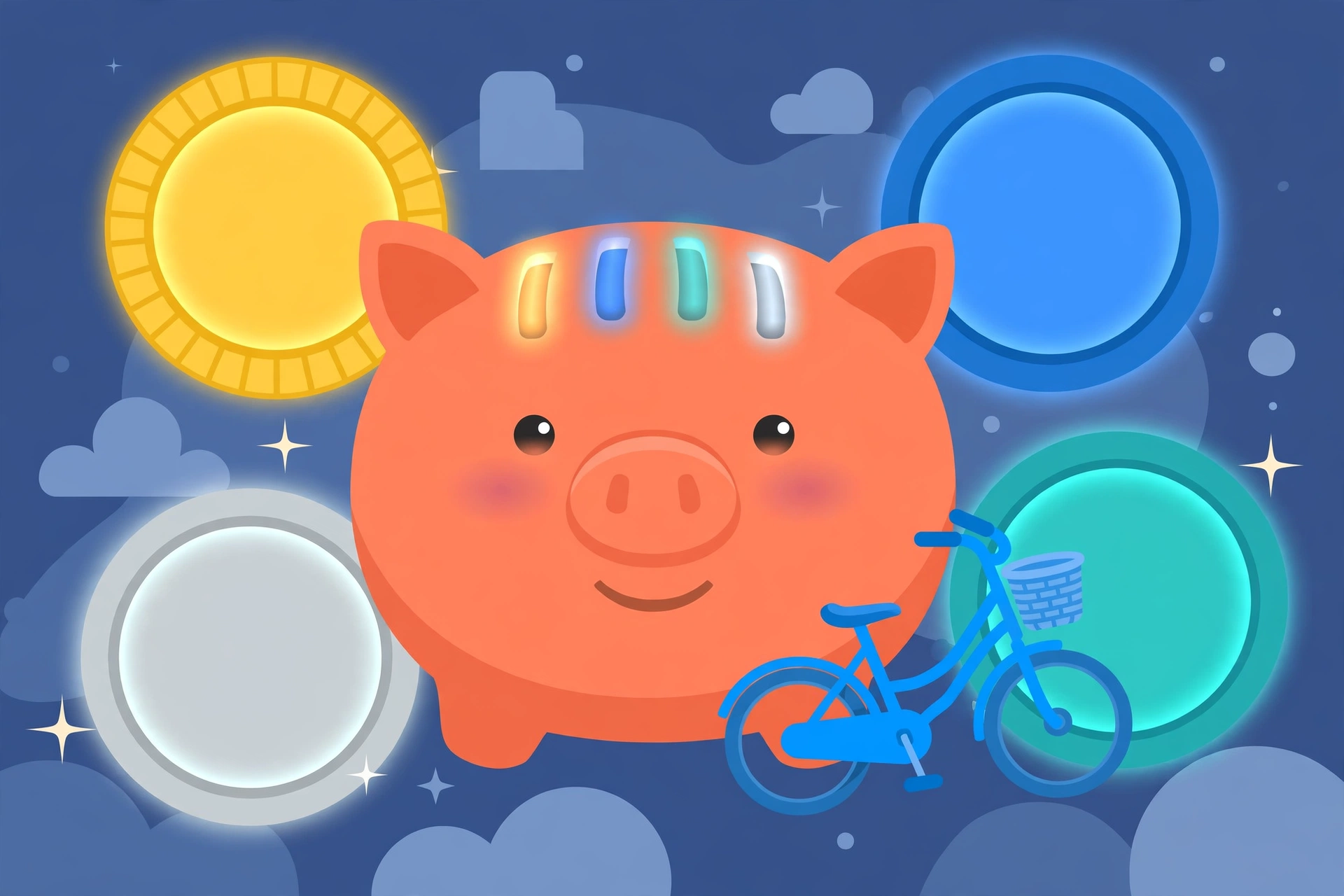
Maya picked her own goal: a bright blue bike with a basket up front for her art supplies, the kind she can ride to art program. Her piggy is Satoshi — named for the smallest piece of a Bitcoin, because collecting small pieces is what a piggy does. Press the deposits and watch what she sees — and what she learns.
Goal: Maya's blue bike · $120
The picture fills in as she saves. Not just any bike — her color, her basket, her choice. When the bar is full, a printable certificate is emailed to her parents to print at home — then she picks her next goal.
Tap a deposit — this is exactly the moment the piggy lights up for the child.
Every time a coin arrives, a tiny lesson pops up — a Real Moment, tied to that real deposit, in words a 7-year-old uses. Try a deposit above.
Her printable certificate is emailed to her parents to print at home and hand to her — see the certificate below. A photo with the bike goes on the family wall, and she picks her next goal. The piggy never empties the lesson: waiting worked.
Gifts this month: $20 · Fees charged: $0.00 · free at launch — every gift arrives whole · See it in the parent dashboard ↓
Parent dashboard
This is the parent's home screen — the view you get when you sign in. Because the piggy lives online, every gift is recorded the moment it lands in the wallet you hold — who sent it, which coin, and the full amount your child received, gift by gift. Your child always receives the full gift: at launch there is no fee at all — nothing is added on top and nothing is taken out, so the whole gift lands in the piggy. You, the parent, owe nothing — CryptoKids Piggy is free to join and free to use, with no monthly charges and no yearly charges. Try it: tap a deposit on Maya's piggy above and watch this dashboard update.
Wallet held by you, the parent · deposits appear here automatically as they arrive · November 2026
Newest first. The full amount lands in the piggy — at launch every gift arrives whole, with no fee added and nothing taken out.
Nothing for anyone to pay at launch. Every gift lands in the piggy in full — nothing added on top, nothing taken out. There are no monthly charges and no yearly charges, and the piggy page never pauses for payment.
Every gift is recorded here with its transaction link — at launch, every gift arrives whole with no fee.
Maya receives the full $50.00. At launch there is no fee — the sender sends exactly $50.00, nothing on top, and nothing is taken out.
Fees for the month = $0.00. Every gift arrived in full — $120 sent is $120 in the piggy.
At $600 of gifts, fees are still $0.00 at launch. No fee on gifts, no monthly charge, and no yearly charge — the whole $600 lands in the piggy.
Four doors, that's all
Launch stays clean: just the four coins. Each one gets a door in the piggy and a character a child can understand — no endless coin lists, no trading, no gambling mechanics.
The first crypto, launched in 2009. Only 21 million will ever exist, which is why people treat it like digital gold — the slow, steady saver of the four.
For kids: “The gold coin. There will never be more of them.”
A blockchain other programs are built on — like a city where people build shops and games. Its coin pays for everything that happens in that city.
For kids: “The building coin. People build things with it.”
Built for speed: transfers settle in moments and cost a fraction of a cent, which makes it friendly for the small, frequent gifts families actually send.
For kids: “The speedy coin. It zooms.”
Made for moving money across borders — the coin of the uncle overseas and the birthday gift from another country. It arrives in seconds, for pennies.
For kids: “The travel coin. It flies across the world.”
Pricing — free at launch
CryptoKids Piggy is free at launch — free for families to join and free to use, so everyone can onboard easily. There is no fee on gifts: nothing is added on top and nothing is taken out, so the child receives every gift whole. There are no monthly charges and no yearly charges — no subscription, no bill, and nothing for the parent or the sender to pay to use the piggy.
Free to joinFamilies can open an account and a piggy with no joining charge — sign up with email, verify, and your child's QR code is ready.
No fee on giftsNothing is added on top and nothing is taken out. A $20 gift is $20 in the piggy; a $100 gift is $100 in the piggy — every gift arrives whole.
No monthly or yearly chargesNo subscription, no yearly bill, and no parent bill — nothing to keep paying to keep the piggy open.
The whole gift lands in the piggyThe moment a gift is sent, the full gift goes into the child's piggy, under the parent's own wallet — in the same transaction, with no fee split and nothing to collect by hand.
Lessons that grow up
No courses, no homework screens. A lesson appears only when something real happens in the piggy — a coin arrives, a price wiggles, a goal fills. Pick an age to see its rungs.
Plain words, big feelings. The whole curriculum at this age is: money arrives, it stays safe, and it slowly becomes the picture on the wall.
Learn · Short videos
Kids can get videos — short, friendly lessons about cryptocurrency, made for children and watched together with a parent. Each one is just a couple of minutes: one idea, told with Satoshi the piggy, in words for the age watching.
Money that lives on computers instead of in a wallet — and why people all over the world can send it to each other. The very first idea, told simply.
Bitcoin the gold coin, Ethereum the building coin, Solana the speedy coin, XRP the travel coin — the four doors of the piggy, one by one.
Why we save little by little, how a goal picture fills up, and why waiting for something you love beats spending right now.
A wallet holds the keys, not the coins — and the secret recovery words are shown to the parent only, written on paper, and never shared with anyone.
Coins can wiggle up and down like a swing — more people wanting a coin can push its price up, fewer can pull it down. No fear, no hype.
Guaranteed riches, pressure to send coins fast, fake giveaways — if it rushes you, it's a trap. The safety lesson every young person online needs.
The video library is being filmed now. Each card above is a placeholder for a lesson in production — when a video is ready, it plays right here in its card. Until then, the Real Moment lessons in the piggy and the age ladder above carry the teaching.
Step 1 · Open your wallet
CryptoKids Piggy never creates a wallet for you and never sees your keys. You, the parent, open a wallet directly with a wallet provider — it takes a few minutes — and you keep the seed phrase (the secret recovery words) yourself, written down somewhere safe and never shared with anyone, including us. Tap a coin below to go straight to that wallet's own page and open it.
BlueWallet is a self-custody Bitcoin wallet for phone and desktop — your keys stay on your own device.
MetaMask is the Ethereum wallet — a free app and browser extension you set up yourself, with the seed phrase shown to you and only you.
Phantom is the Solana wallet — a free app and browser extension; you create the wallet and hold the recovery phrase.
Xaman is the self-custody wallet built for XRP — you open the account in the app and keep its secret numbers yourself.
Only ever open a wallet from the provider's own page — the four links above go to BlueWallet, MetaMask, Phantom, and Xaman directly. During setup the wallet shows you a seed phrase (secret recovery words): write it on paper, keep it somewhere safe, and never type it into any website or share it with anyone. Whoever holds those words holds the coins — that's why they stay with you, the parent, and never with CryptoKids Piggy.
Safety, in the shape itself
The split is the product: two views of the same piggy, and the child's view can never move money.
Sending a gift — finalized
No cards, no cash, no fees on gifts, no monthly charges, no yearly charges, and no bill in the mail. Gifts move wallet to wallet in crypto — the whole gift arrives — and every step leaves a record the parent can find again.
Gifts are sent only in crypto — Bitcoin, Ethereum, Solana, or XRP, the coins the piggy holds — from the sender's own wallet to the parent's wallet. The system never asks anyone for a card.
At launch there is no fee on any gift, of any size. Nothing is added on top and nothing is taken out — the full gift lands in the child's piggy, untouched.
There is no subscription, no yearly charge, and nothing for the parent or sender to pay at launch. The child's piggy page — the goal picture, the four coin doors, and the Real Moment lessons for ages 5–7 every time a gift arrives — stays open, always.
Every transaction record lives right there — not in an email you have to hunt for. Each entry shows the date, what arrived, which coin was used, and the transaction link. Example entries:
CryptoKids Piggy is free at launch — and the piggy page never pauses for payment. There is no fee on gifts, no monthly charge, and no yearly charge. The coins stay in the parent's own wallet, under the parent's keys, the whole time.
The certificate
No mailing, no waiting for the post. The moment the piggy fills, CryptoKids Piggy creates a printable certificate and emails it to the parent. The parent prints it and hands it to the child — so the proud moment comes from you.
The goal fills upMaya's piggy reaches $120 — or whatever goal your child picked. The certificate is created right then, with the real details from their piggy.
Emailed to the parent onlyIt arrives in the parent's inbox as a print-ready file. It is never sent to the child directly — you decide the moment.
Print it at homeOne page, made to look right on a home printer — color if you have it, still handsome in black and white. Frame it, pin it, put it on the fridge.
You hand it overYour child's name, their goal, how much they saved, the date they reached it, and a note from Satoshi — handed over by you, while their coins stay safe in your wallet, untouched.
CryptoKids Piggy · Goal Certificate
This certifies that
Maya
saved $120 and reached her goal: a blue bike with a basket
Saved little by little in Bitcoin, Ethereum, Solana and XRP — gift by gift, lesson by lesson — until the piggy was full. Waiting worked.
“You collected small pieces, one at a time — just like me. I am so proud of you.” — Satoshi, the piggy
Preview shown with Maya's example details. Your child's certificate carries their own name, goal, amount saved, and the date they reached it — emailed to the parent as a printable file.
How it grows
The first families are already in the room — parents who come to create art with their kids, where crypto keepsakes already live. The piggy is the natural next step home.
When an uncle sends birthday XRP or a grandma sends Bitcoin, they see the piggy working. Families invite families — the givers become the next parents.
CryptoKids Piggy is free at launch — no fee on gifts and no monthly or yearly charges for families — so families can onboard easily, and a child climbs the lesson ladder from age 5 to 17. The goal certificate is a printable keepsake, emailed to the parent — no mailing, no print shop.
Shares that trade as tokens on a blockchain are real and growing — but they often don't carry full shareholder rights, and a clean, legal route for U.S. families isn't settled yet. Launch stays the four coins only. The stock-token shelf opens for the 14–17 band only when that route is clean.
The name — final
You proposed Piquet Crypto, asked for the most kid-appealing pick from the succession — and chose it: CryptoKids Piggy is the final product name — bright, self-explaining, and tied straight to its home at cryptokids.art, beside the art gallery. Satoshi lives on as the piggy mascot's own name: the character kids follow, whose name carries a built-in first lesson, because a satoshi is the smallest piece of a Bitcoin, and a piggy's whole job is collecting small pieces. Piquet Crypto stays on file as your own candidate; the rest of the succession is below, kept as the record of how the name was picked.
Final name: CryptoKids Piggy
Reviews
This is the place where parents and families leave a review of the app — what the piggy taught your child, what your family loves, what we should do better. Reviews from signed-in families appear here for the next family to read.
No reviews yet